This post is also available in: 日本語 (Japanese)
This article is about two-dimensional array(key-value) and associative array in a multidimensional arrayof javascript.
Getting started with content, but I confused when using a complex nested array, so I made this note.
Contents
Code example to get a associative array(key-value) in a multidimensional array
javascript one-dimensional array
The following code is an example of handling an array in javascript.
Basically in javascript, the array and associative array works different.
//arrays
data0 = [
	["Win98", "Windows98"],
	["WinXP", "WindowsXP"],
];

console.log(data0.length); //2
console.log(data0[0]); //[ 'Win98', 'Windows98' ]
console.log(data0[1][1]); //WindowsXP
javascript associative array
The following code is an example of handling an associative arrays in a multidimensional(two-dimensional, nested) array in javascript.
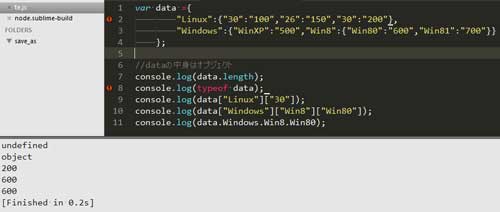
When you handle an associative arrays, you can not call like "data0[1][1]" as in the above example.
Conversely, when you handle an arrays, you can not call like "data.Windows.Win8.Win80" as in the following example.
//associative arrays
var data ={
	"Linux":{"30":"100","26":"150","30":"200"},
	"Windows":{"WinXP":"500","Win8":{"Win80":"600","Win81":"700"}}
};

console.log(data.length); //undefined
console.log(data["Linux"]["30"]); //200
console.log(data["Windows"]["Win8"]["Win80"]); //600
console.log(data.Windows.Win8.Win80); //600
javascript associative array(key-value) in a multidimensional array
//multidimensional array
data0 = [
	["Win98", "Windows98"],
	["WinXP", "WindowsXP"],
];
//Add associative array(key-value)
data0[2] ={"Win2000":"2000"}
//outputs
console.log(data0[2]); //{"Win2000":"2000"}
console.log(data0[2]["Win2000"]); // "2000"
For javascript in general
As for javascript, it is a programmig language that has many unique rules instead of free, so I think it's a good idea to organize your knowledge once.


